
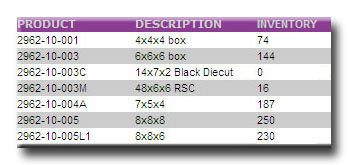
The Total Inventory section in the MIS will display all of your inventory that is in stock, 25 items per page. If the product has not been checked in by a stock shipment alert, that item will not display. Sorting this list can be done by selecting the PRODUCT or DESCRIPTION header at the top of the list.