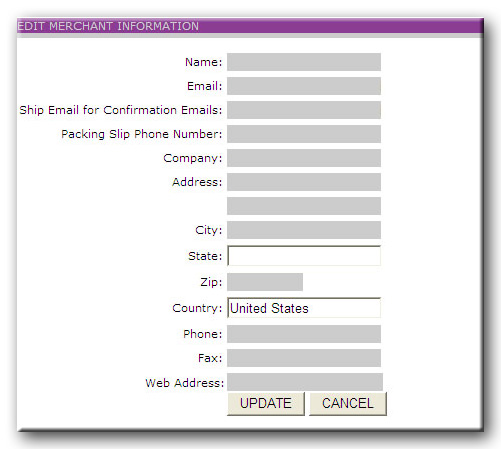
Editing Merchant data enables you to change information about your account. When you enter the Edit Merchant Data screen, the form is pre-populated with your current information. Changing the information is as easy as modifying the specific fields and clicking the UPDATE button, that's it!
NOTE: The Email field will be the email address that all of your account information will be emailed to including your billing report, stock shipment alert check-in's, and return emails.
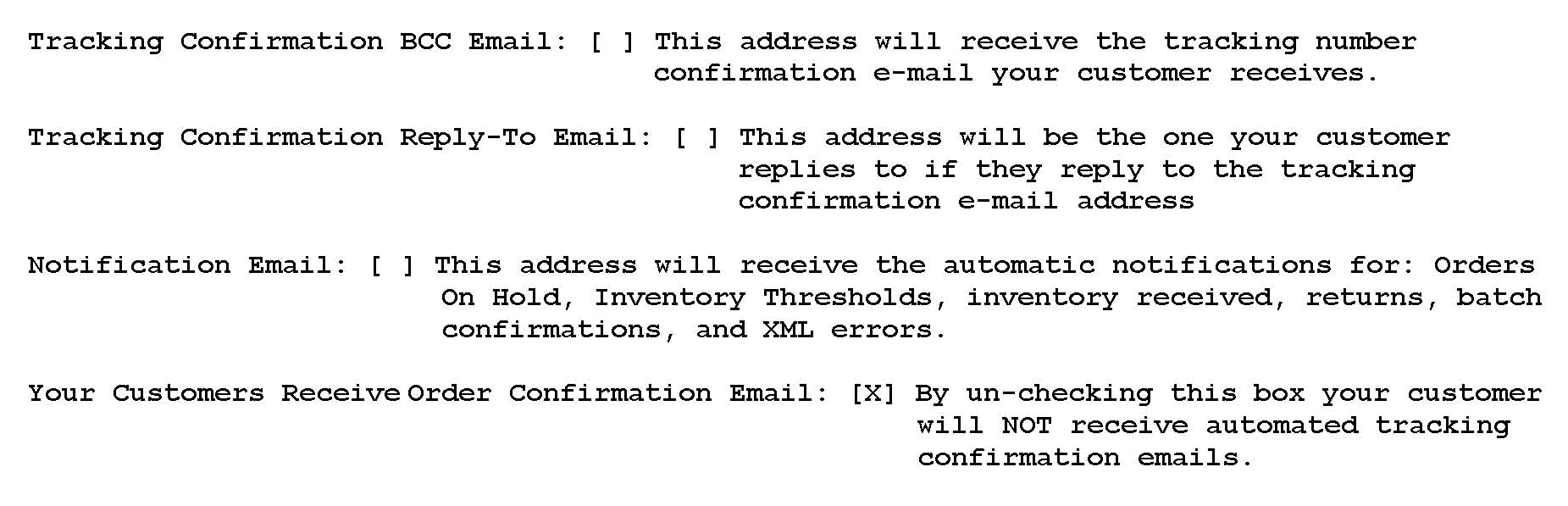
Ship Email for Confirmation EmailsYou have the ability to modify the e-mail address that appears at the bottom of your confirmation/tracking number e-mails that are generated when your order ships out. You can also list another e-mail address that will be Blind Copied on the outgoing tracking confirmation e-mails. Please see the options and explanations here:
Packing Slip phone number is the telephone number that will appear on all of your packing slips, below your company name. (this field is not required).
The packing slip is produced after and order is received in the WeFulFillIt.com system. It contains a detailed list of the items in the order, destination location, and shipping method. The packing slip is not an invoice and does not include pricing information. A shipping note or customer greeting may also be defined; they appear at the bottom of the packing slip. In addition, a logo may be included to appear on your packing slips. Click here to view the requirements for this feature. Once the packing slip is printed our warehouse staff locates the product, packs the shipment, and prepares it for departure.
Notes cannot change order details such as declared values, shipping methods, inventory sku selected for the order or other data as entered in the order or in the MIS. These fields are automatically pulled through to the ship stations as you have them entered in the MIS or in the order. WeFulFillIT.com will not be held responsible if a note is not addressed in the manner you intended. Notes are intended to be used for helpful suggestions or reminders to the warehouse regarding items that are not automated in the system or in the order such as Gift Wrapping and Packing Suggestions, but again we will handle these items in the manner we see appropriate and cannot be held responsible. Any note that is listed in this field will print on the packing slip and be visible to your customer who receives this packing slip with the order.